
Focus on the conversation, not taking notes.
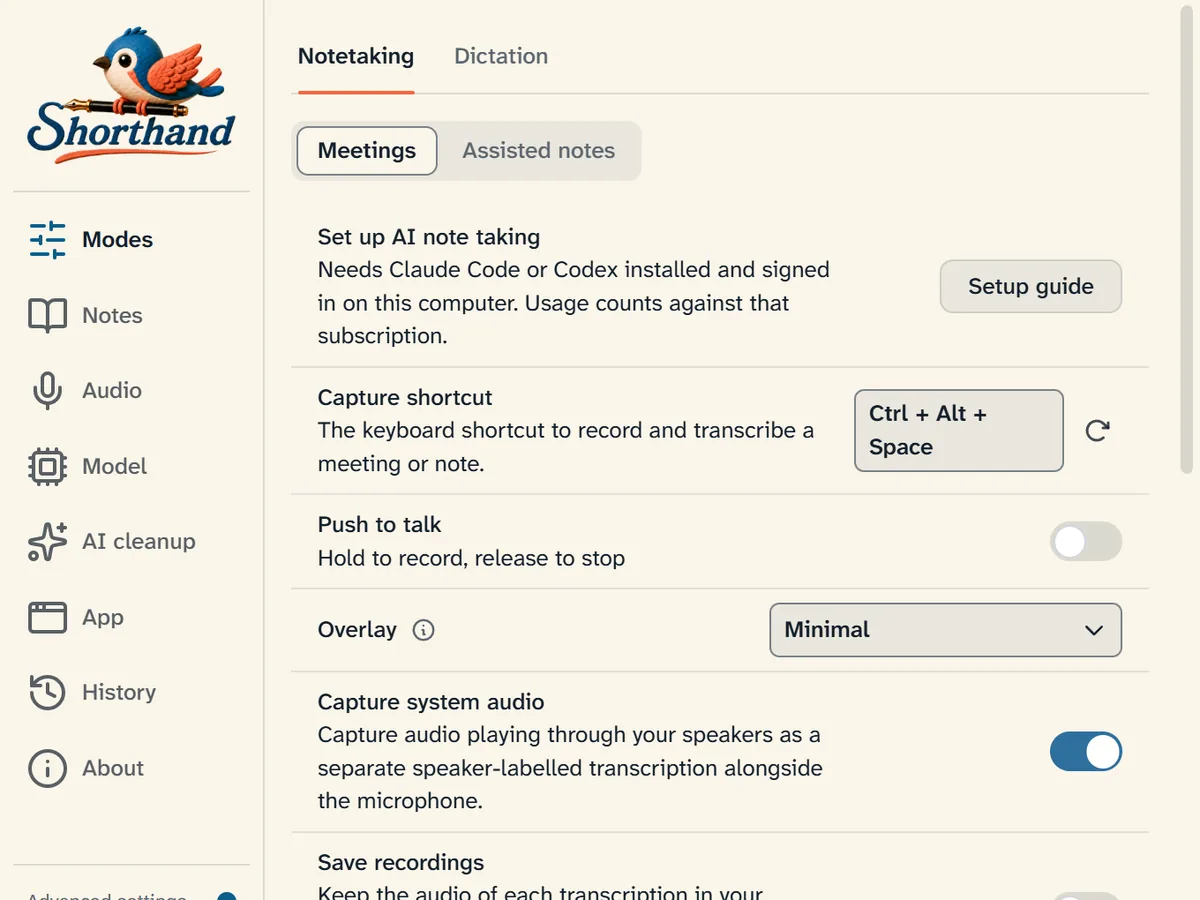
Records and transcribes on your computer. Writes live notes with Claude, ChatGPT, or Cursor.
Free and open source · No bot on the call · Linux builds need testers · All GitHub releases
 Shorthand · live conversation
The no-sad-snacks pilot
The pitch
- Use AI to end disappointing office snacks
What happened
- 400 blueberry muffins for a six-person pilot
- Janet clicked “surprise me” 40 times
Decisions
- Cap repeat clicks
- Run a three-office pilot Friday; launch Monday
To do
- Alex: fix the agent
- Maya: line up three offices
- Find homes for 394 muffins
How it works
Your mic and the meeting audio
It grabs your mic and the computer's audio at once. Zoom, Meet, Teams, whatever you're on. Transcription runs on your machine, with speakers kept separate.
Claude, ChatGPT, or Cursor
Open Notes in the app for the walkthrough, or see the setup guide. Most people connect with Claude Code, Codex, or Cursor CLI. An API key or a local model works too.
Notes
Takes notes for you in Obsidian and organizes as you go. Outlines, tables, next steps, the shape of the conversation. It only edits its own section of the note.
Connect Claude, ChatGPT, or Cursor.
Through Claude Code, Codex, or Cursor CLI on the account you already use. API key or local model works too. See the setup guide.
When the meeting ends, the recording is gone.
Transcription is local. The AI only gets the transcript and your note text, not the audio. By default the recording, transcript, and AI session are deleted when the meeting ends.
Handy is still in there.
Shorthand is a fork of Handy. Local transcription and hotkey dictation come with it. You don't install Handy separately. Shorthand adds computer audio and the live note.
Download the app.
Install Shorthand, open Notes, and follow the setup guide for Claude or ChatGPT plus the Obsidian plugin.
Get the Obsidian plugin →Apple silicon · unsigned, macOS 14.6+ · starts the download and shows how to open it
Questions
Do I need another AI subscription?
No. Sign in through Claude Code with Claude Pro or Max, through Codex with ChatGPT Plus or Pro, or through Cursor CLI with your Cursor subscription. You can also connect to an ACP agent, or use an API key or a local model.
What do I install?
Start with the Shorthand desktop app. Open Notes inside the app for the setup guide, which covers your AI connection and the Obsidian Community plugin.
Do I need Handy?
No. Shorthand is built on Handy and includes its recording, local transcription, and dictation features.
Does it work without an AI connection?
Recording, transcription, and dictation do. Live note-writing needs Claude, ChatGPT, Cursor, an ACP agent, an API, or a local model.
Will it overwrite my note?
No. Shorthand edits its own marked section and leaves everything else untouched.
Why does my computer warn about the download?
The builds are not code-signed yet, so Windows and macOS may show a warning. On Windows, choose More info, then Run anyway. On macOS, follow the short steps in the setup guide.
Can I use it for solo thinking, not just meetings?
Yes. Assisted notes mode organizes an idea, plan, or rough draft while you talk it through.

Free and open source.
Shorthand is free to use. You can also buy a Shorthand license. It's pay what you want, and we'll email you a license key. What a license includes.